Apple MacBook Neo or iPad 11 with Apple Magic Folio Keyboard for Students on a Budget
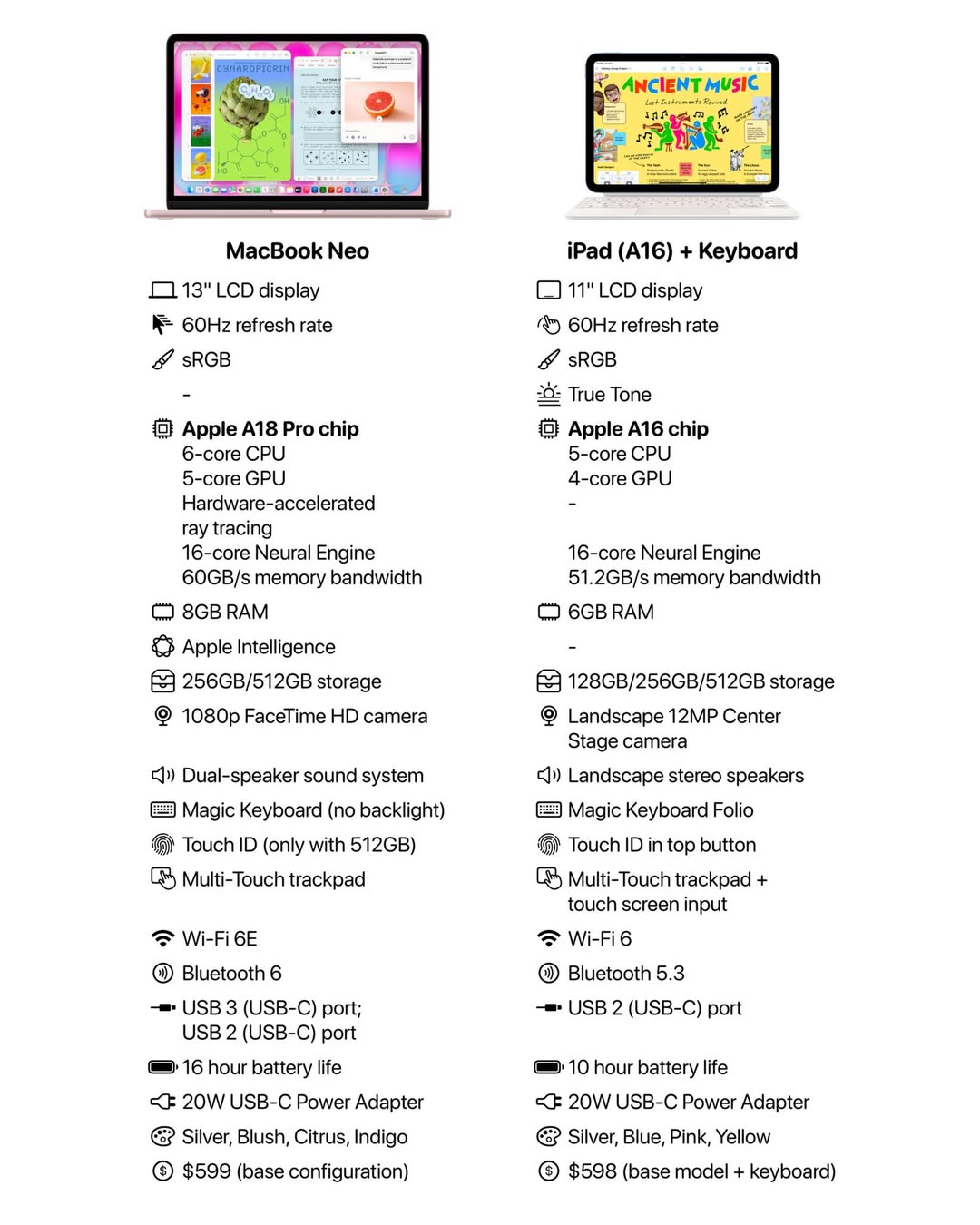
Both entry level devices, one a full fledge 13-inch laptop, the other a versatile 11-inch tablet with option to use detachable keyboard, which would be more suited for students on a budget, given both when added up, falls in a similar price bracket.
MacBook Neo launched in March 2025, sees Apple introducing their first MacBook powered by the A series chip. Since introducing Apple silicon into MacBook, they have always used the M-series chip while iPhones and entry level iPad stuck to A series chips.

For Students and Education: Choosing Your Perfect Study Companion
For a student, this £600 device will likely be the academic hub for the next few years. The “best” choice here depends entirely on your course of study and personal learning style. Let’s break down how each device performs in a student’s daily life.
Don’t forget that students (with a valid schools email address) can enjoy student discount via Education store home or at the brick and mortar Apple Store. This brings the costs down to around £500 (£499 for MacBook Neo and £309 for iPad 11 and £229 for Magic Keyboard Folio).
The MacBook Neo: The Dedicated Study Machine
Think of this as your reliable, no-compromise productivity partner. It is built for one primary job: getting work done.
Perfect For: Students of humanities, business, law, social sciences, or anyone whose work is 90% typing, research, and spreadsheet management. If your day consists of writing essays in Google Docs, cross-referencing 20 browser tabs, and building presentations, this is your device.
The Student Advantage:
- Superior Keyboard & Trackpad: You will be typing thousands of words. The built-in Magic Keyboard on the Neo is class-leading for a laptop at this price. The integrated trackpad means no extra accessories to lose or charge.
- All-Day Battery Life: With up to 16 hours of video playback, you can go from a 9 AM lecture to an evening library session without searching for an outlet. This is a massive stress-reducer.
- Better Ports: Being able to charge on one USB-C port while having a USB drive or an external monitor connected to the other is a huge, often under appreciated, advantage in a dorm room or library.
- Traditional Multitasking: macOS is built for managing multiple windows. You can have your essay, research PDFs, and lecture notes all visible and easily switchable.
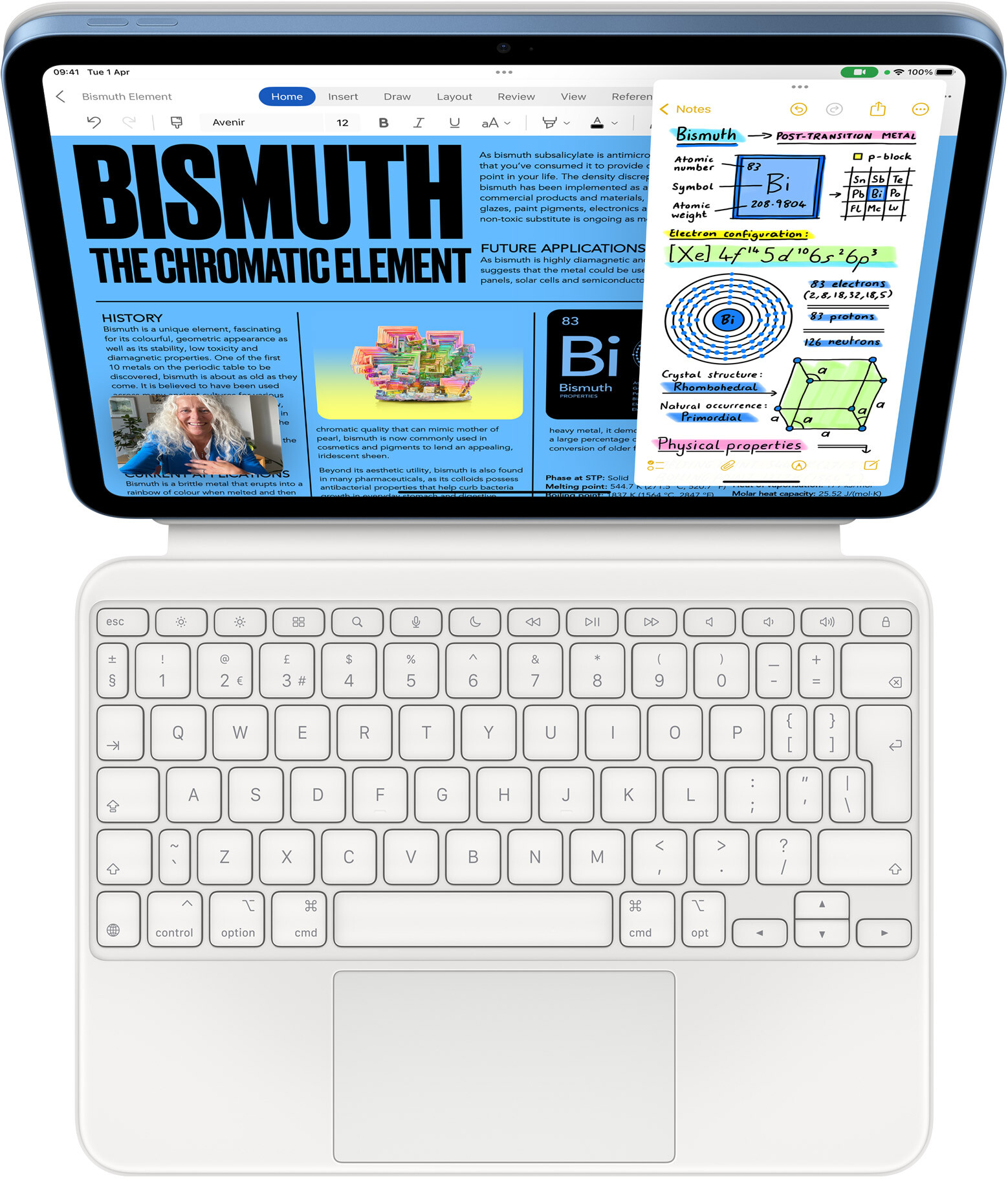
The iPad + Keyboard: The Versatile Learning Tablet
This combination is a chameleon, adapting to different learning situations. It’s a laptop when you need it, and a tablet when you don’t.
Perfect For: Students of visual or creative subjects like art, design, architecture, or any science with complex diagrams to annotate. It’s also ideal for students who prefer to handwrite notes or study primarily from PDFs and e-textbooks.
The Student Advantage:
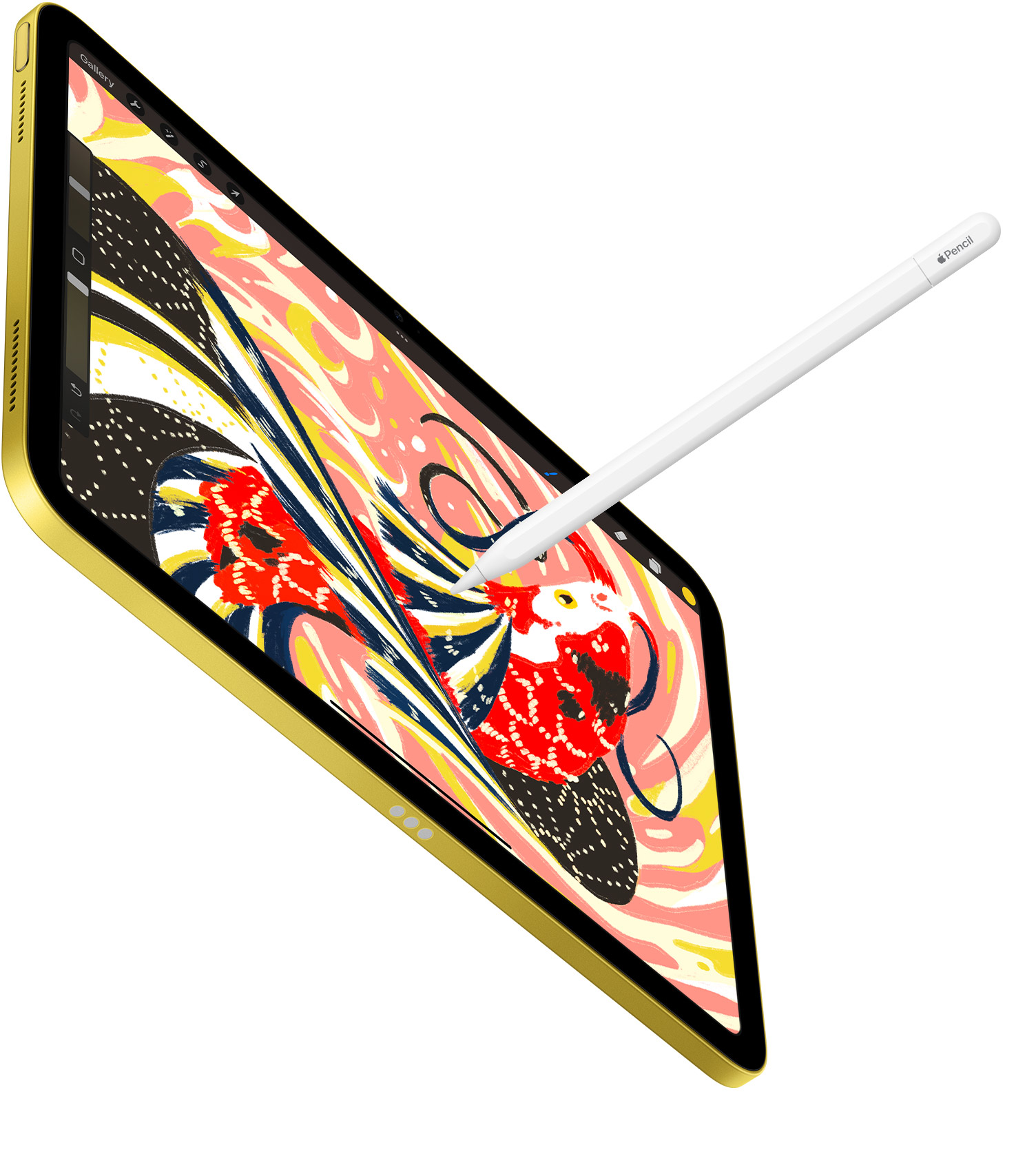
- Handwritten Notes & Annotation: With an Apple Pencil (sold separately), you can handwrite notes directly on lecture slides, annotate PDFs, or sketch out ideas. This is a game-changer for visual learners and many STEM courses. The MacBook Neo cannot do this.
- Ultimate Portability & Two-in-One: It’s lighter and can be used purely as a tablet for reading on the bus, watching lecture recordings in bed, or showing a friend a project. Detach the keyboard and it’s a media consumption device.
- Excellent Camera: The 12MP rear camera is perfect for quickly photographing whiteboard diagrams, capturing lab results, or scanning multi-page documents into a single PDF. The front-facing Center Stage camera keeps you perfectly framed during group FaceTime study sessions.
- The “Consumption” Edge: For heavy textbook reading or reviewing long PDFs, the iPad’s touchscreen and portrait orientation are significantly more comfortable than a laptop.

Performance Comparison A18 Pro (MacBook Neo) vs A16 (iPad)
Yes, we already have the numbers and raw performance data of both chips, granted that they power very different platforms, one is MacOS while the other is iPadOS. Still, they give you a very close to real world performance indicator, key to understanding the real-world value of these two devices, especially for students who need their tech to last through several years of study.
TLDR: The result is clear, the A18 Pro which is two generations ahead of the A16 is significantly more powerful chip than the A16. This isn’t just specs on paper. Like we mentioned earlier, we already have the data and experience to support this. A18 Pro will have noticeably smoother r and more capable experience. Let’s take a closer look at the numbers.
1. CPU Power (Processing Speed)
The Central Processing Unit (CPU) is the brain of the device, handling everything from loading apps to complex calculations. Here, the A18 Pro has a commanding lead.
Benchmark Scores: In Geekbench 6, a standard performance test, the A18 Pro scores approximately 3,400 for single-core tasks and an estimated 8,400 for multi-core tasks . In comparison, the A16 in the new iPad scores 2,585 (single-core) and 6,032 (multi-core).
What This Means: The A18 Pro is about 30% faster in single-core tasks (like opening apps quickly) and a massive 40% faster in multi-core tasks (like video editing or running complex simulations) compared to the A16. For a student, this means the MacBook Neo will handle heavy multitasking, large datasets, and demanding creative software with far greater ease and speed.
2. GPU Power (Graphics & Gaming)
The Graphics Processing Unit (GPU) is crucial for video editing, 3D modeling, and, of course, gaming.
Architecture: The A18 Pro features a 5-core GPU with hardware-accelerated ray tracing, a technology for more realistic lighting in games and pro apps. The A16 has a 4-core GPU without this feature.
Performance Claims: Apple states the A18 GPU (the non-Pro version in the iPhone 16) is up to 40% faster than the A16 GPU . Given the A18 Pro is even more capable, the graphics gap is substantial.
What This Means: For students in design, architecture, or video-focused courses, the MacBook Neo will render projects and handle graphical tasks much faster. For gaming, the Neo will deliver higher frame rates and smoother performance.
3. Real-World & Future-Proofing
This is arguably the most important factor for a student buying a device to last through their degree.
System Architecture: The MacBook Neo runs macOS, a desktop operating system, and benefits from the A18 Pro’s 60GB/s memory bandwidth . The iPad runs iPadOS, a mobile OS, and its A16 chip has a lower memory bandwidth. This means the MacBook Neo is inherently better suited for sustained, demanding professional workloads.
AI and “Apple Intelligence”: This is a critical point for the future. The A18 Pro is built for on-device AI, with a powerful 16-core Neural Engine. The A16 in the base iPad is not expected to support future Apple Intelligence features . As AI becomes central to operating systems (like helping you write, summarise text, and generate images), the iPad will be left behind, while the MacBook Neo will gain new capabilities.
Comparative Performance: The A18 Pro’s single-core performance even exceeds that of the M1 Pro chip . While its multi-core performance is naturally lower than higher-end M-series chips, just under the M1 chip, it firmly establishes the Neo as a legitimate performer, not just a budget compromise.
To make this as clear as possible, here is a direct summary of the performance differences:
| Feature | MacBook Neo (A18 Pro) | iPad 11th Gen (A16) | Performance Verdict |
|---|---|---|---|
| CPU Single-Core | ~3,400 (Geekbench 6) | 2,585 (Geekbench 6) | Neo is ~30% faster for app loading and responsive feel. |
| CPU Multi-Core | ~8,400 (Geekbench 6) | 6,032 (Geekbench 6) | Neo is ~40% faster for heavy multitasking and pro apps. |
| GPU Cores | 5-core | 4-core | Neo has 25% more cores, plus modern architecture. |
| GPU Performance | Up to 40% faster than A16 GPU | Baseline | Significantly faster graphics for gaming and creative work. |
| Memory Bandwidth | 60GB/s | Lower (Not specified) | Much faster data access for the processor in the Neo. |
| Future AI Features | Full Apple Intelligence support | Limited/No support | Neo is future-proofed for upcoming OS features. |
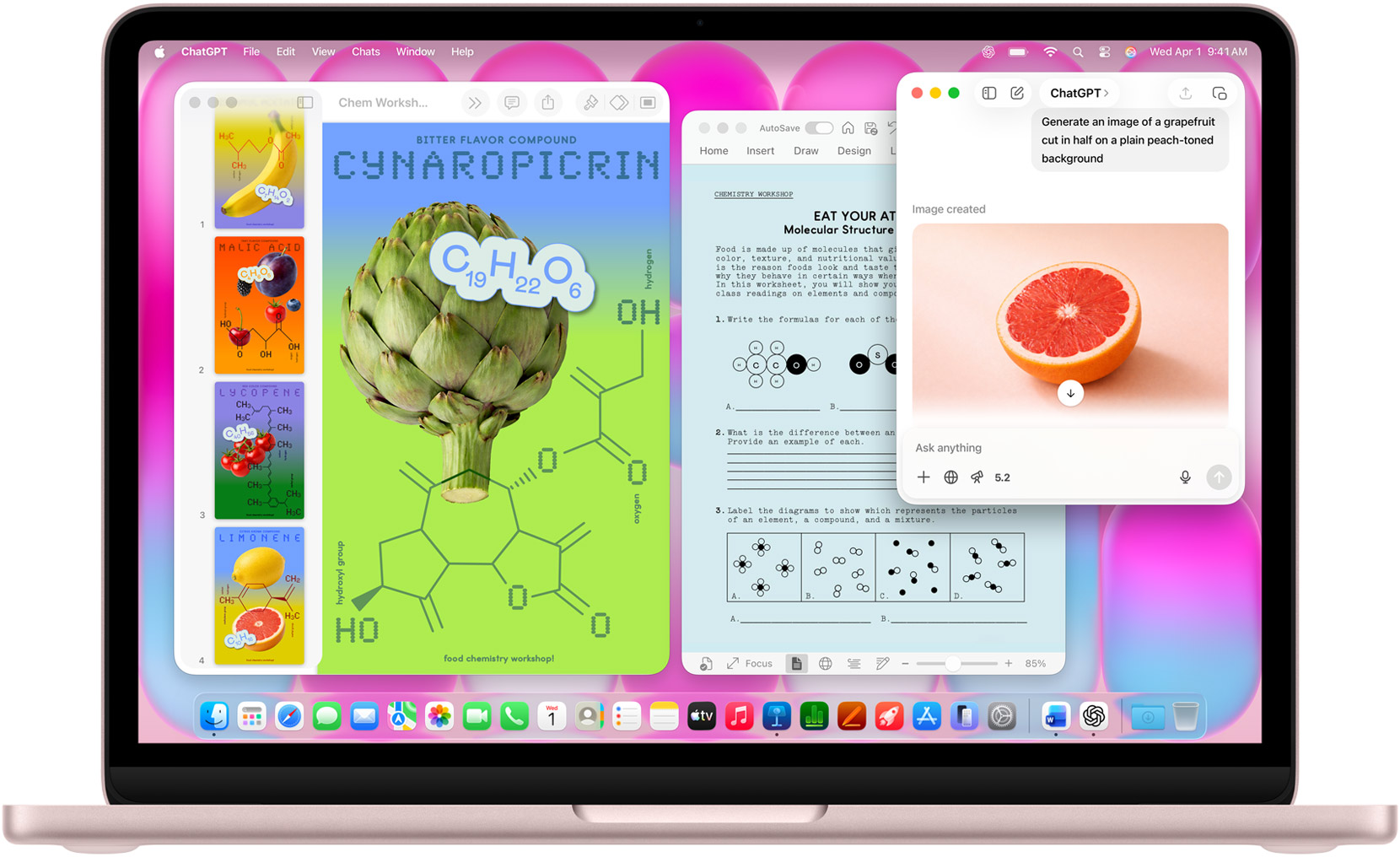
Unfair Performance Comparison
There is a clear hierarchy here. The A16 chip in the iPad is a capable but aging processor. It handles everyday tasks like web browsing, email, and video streaming perfectly fine. However, its performance is positioned at the entry-level.
The A18 Pro in the MacBook Neo is in a different league. It delivers performance that rivals and, in some cases, exceeds older pro-level laptop chips . It is designed to handle intensive tasks and, crucially, to support the next generation of AI-powered computing.
However, comparing the chips performance alone doesn’t not paint an overall picture. These chips are used to run different OSes and different apps. One being shoehorned into running a full desktop OS (macOS) being a mobile first chip, while the other feels very much at home, and already proven chip on iPhones and entry level iPads running a mobile OS (iPadOS)
For a student, the choice based on performance alone is:
Choose the iPad (A16) if your work is light and consumption-based (reading, watching, light note-taking) and you are confident you won’t need advanced features in 3-4 years. Your primary activities are consuming and creating media, taking notes, designing graphics and using iOS apps. This is a portable tablet with a touch screen capable of supporting Apple Pencil, both of which are not available on MacBook Neo.
Choose the MacBook Neo (A18 Pro) if you need power and longevity. Its superior CPU, GPU, and AI capabilities mean it will handle demanding coursework now and remain a fast, capable, and feature-rich device throughout your entire degree and beyond. The performance investment directly translates to a longer useful life.
Which is the best device for Students: A Tale of Two Learners
Choose the MacBook Neo if…
- Your primary task is writing, researching, and creating presentations.
- You value battery life, a great typing experience, and traditional multitasking above all else.
- You are studying a subject where handwritten notes are a bonus, not a necessity.
- You simply want a straightforward, powerful laptop that will handle everything a university throws at it without fuss.
- If you wish to take advantage of Apple Intelligence features.
Choose the iPad + Magic Keyboard Folio if…
- You are a visual learner or creative student who needs to draw, sketch, or annotate heavily.
- You want to handwrite your notes digitally for better organisation and searchability.
- You value having a device that is equally capable of being a study tool and a media/relaxation device.
- You need a high-quality camera to digitise physical documents or capture visual information.
- You gobble up apps
In short, the MacBook Neo is the focused workhorse for the traditional academic workflow, while the iPad combo is the versatile all-rounder that blurs the line between learning and creating. Your choice ultimately defines *how* you will interact with your studies for the next few years.
We leave you with an infographic comparing the actual specifications side by side between MacBook Neo vs iPad with Keyboard