Google Nexus 10 vs. iPad 4
If you’re currently in the market for a tablet, you would be forgiven if you had a hard time trying to decide which one to go for. If you need some guidance, our recent How to choose the right tablet article might help you narrow down your choices.
If however, you’ve decided that you’d like something along the lines of a 10″ tablet with a multitude of features, then your choices inherently comes down quite simply to either the Nexus 10 or the iPad 4.
Here we pitch them both head-to-head and help you make sense of some of their main features.
Nexus 10 vs iPad 4 with Retina Display Direct Comparison

Resolution
Nexus 10 with the “World’s Highest Resolution” screen: 2560 x 1600 resolution at 300 pixels per inch (ppi)
iPad with Retina Display screen: 2048 x 1536 resolution at 264 pixels per inch (ppi)
4,096 Megapixels (Nexus 10) vs 3.146 Megapixels (iPad 3rd / 4th Generation)
Winner: Nexus 10 – Nexus 10 is 13.6% sharper based on ppi count
Screen Size
Nexus 10: 10.055” 2560 x 1600 (300 ppi) WQXGA True RGB Real Stripe PLS with Corning® Gorilla® Glass 2
iPad with Retina Display: 9.7‑inch (diagonal) LED-backlit Multi‑Touch display with IPS technology
Winner: Nexus 10 -Nexus 10 screen size is approximately 3.7% bigger compared to the iPad
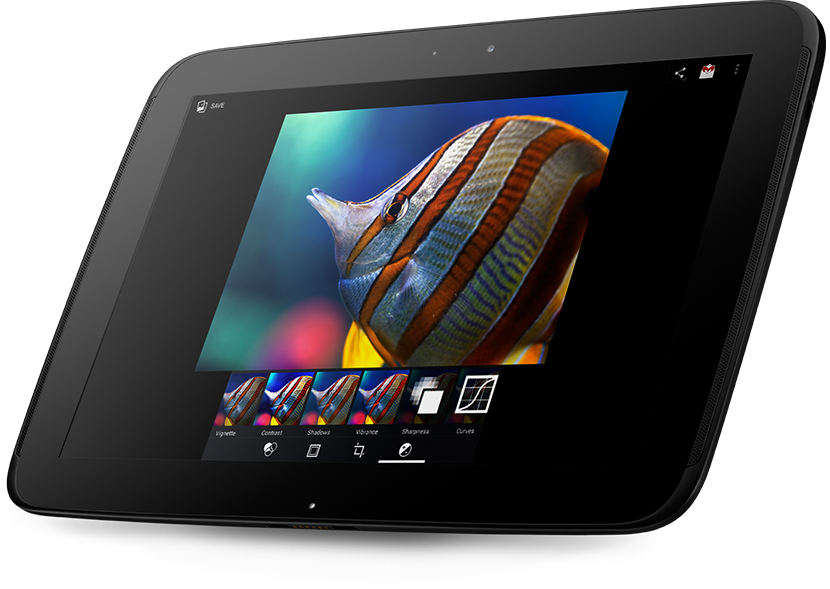
Nexus 10: Dual Core A15 at 1.7GHz with quad-core graphics Mali T604
iPad with Retina Display: Dual-core A6X with quad-core graphics, benchmarks revealed that the processor is clocked at 1.4GHz and the GPU is based on PowerVR SGX 554MP4
Winner: Nexus 10 – Nexus 10 has a much faster processor at 1.7GHz
Cameras
Nexus 10: 5MP rear facing, 1.9MP front facing
iPad with Retina Display: 5MP rear facing, 1.2MP front facing
Winner: Nexus 10 – Nexus 10 has slightly higher resolution front facing camera
Dimensions & Weight
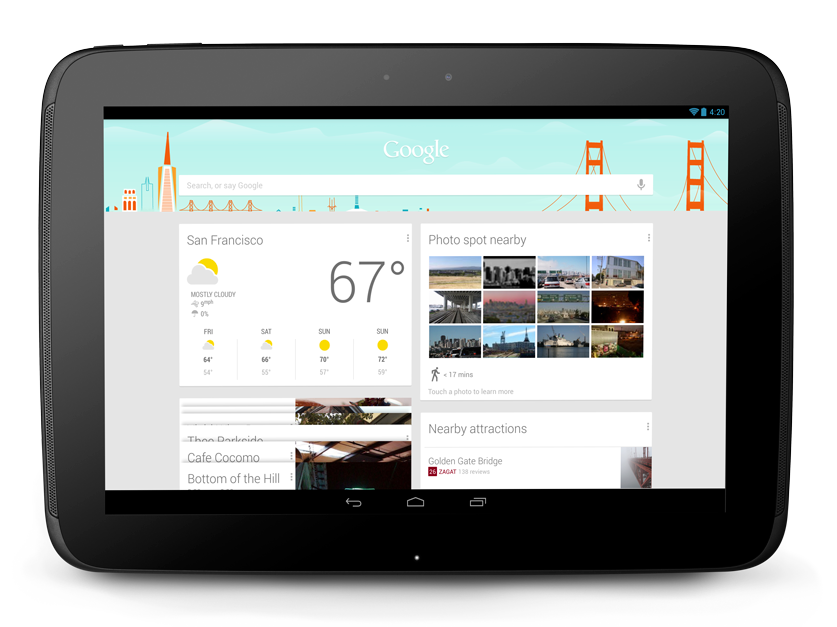
Nexus 10: 263.9 x 177.6 x 8.9 mm 603 grams
iPad with Retina Display: 241.2 x 185.7 x 9.4 mm 662 grams
Winner: Nexus 10 – the Nexus 10 is thinner and lighter than the iPad but a little over 2 cm longer
Battery Life
Nexus 10: 9 hours of video, 7 hours of web browsing, 90 hours of music playback with 9000mAh Lithium polymer battery
iPad with Retina Display: 10 hours of web browsing on WiFi, watching video or listening to music and 9 hours of web surfing using mobile broadband with 42.5 watt hour Lithium polymer battery
Winner: iPad – not a great difference here, these claimed battery life highly depends on device settings, usage and many other factors but it’s great to see that both devices average about 9 – 10 hours.
Connectivity
Nexus 10: WiFi 802.11 b/g/n (dual band MIMO+HT40), Bluetooth, NFC (Android Beam), Dual side NFC, Micro USB, Magnetic Pogo pin charger, Micro HDMI, 3.5 mm headphone jack
iPad with Retina Display: WiFi 802.11 b/g/n (dual band 2.4GHz and 5GHz), Bluetooh, Lightning connector 3G and LTE models available for mobile (cellular) broadband
Winner: Draw – while Nexus 10 has the upper hand in terms of connectivity with Near Field Communication (NFC), Micro USB and Micro HDMI, it lacks the 3G and LTE options for those who would like mobile data on the go. Apple’s iPad on the other hand has the option for 3G and LTE in the pipeline across the range, 16GB, 32GB and 64GB versions.
Memory Expansion
Both devices do not have memory expansion slots.
Operating System
Nexus 10: Android 4.2 (Jelly Bean)
iPad with Retina Display: iOS 6
Other Features
Nexus 10: Accelerometer, GPS, Gyroscope, Barometer, Ambient Light sensor, Compass
iPad with Retina Display: Accelerometer, GPS*, Gyroscope, Ambient Light sensor, Compass (*Assisted GPS and GLONASS on mobile version)
Winner: Draw – no surprises here, both devices have very similar sensors for controls, screen orientation, screen brightness, location awareness and other functions.
Prices
Winner: Nexus 10 – clearly, Nexus 10 is a winner here for affordability and value for money.
| Features | Nexus 10 | iPad 4 |
| Launch Date | October 2012 | November 2012 |
| Resolution | 2560 x 1600 resolution at 300 pixels per inch (ppi) | 2048 x 1536 resolution at 264 pixels per inch (ppi) Apple’s Retina Display |
| Screen Size | 10.055-inch 2560 x 1600 (300 ppi) WQXGA True RGB Real Stripe PLS with Corning® Gorilla® Glass 2 | 9.7‑inch (diagonal) LED-backlit Multi‑Touch display with IPS technology |
| Processor | Dual Core A15 at 1.7GHz with quad-core graphics Mali T604 | Dual-core A6X with quad-core graphics, benchmarks revealed that the processor is clocked at 1.4GHz and the GPU is based on PowerVR SGX 554MP4 |
| Cameras | 5MP rear facing, 1.9MP front facing | 5MP rear facing, 1.2MP front facing |
| Storage and RAM | Available in 16GB and 32GB storage with 2GB RAM | 16GB, 32GB, 64GB with 1GB RAM (based on benchmarks) |
| Dimensions and Weight | 263.9 x 177.6 x 8.9 mm 603 grams | 241.2 x 185.7 x 9.4 mm 662 grams |
| Battery Life | 9 hours of video, 7 hours of web browsing, 90 hours of music playback with 9000mAh Lithium polymer battery | 10 hours of web browsing on WiFi, watching video or listening to music and 9 hours of web surfing using mobile broadband with 42.5 watt hour Lithium polymer battery |
| Connectivity | WiFi 802.11 b/g/n (dual band MIMO+HT40), Bluetooth, NFC (Android Beam), Dual side NFC, Micro USB, Magnetic Pogo pin charger, Micro HDMI, 3.5 mm headphone jack | WiFi 802.11 b/g/n (dual band 2.4GHz and 5GHz), Bluetooh, Lightning connector, 3.5mm headphone jack, 3G and LTE models available for mobile (cellular) broadband |
| Memory Expansions | No | No |
| Operating Systems | Android 4.2 (Jelly Bean) | iOS6 |
| Other Features | Accelerometer, GPS, Gyroscope, Barometer, Ambient Light sensor, Compass | Accelerometer, GPS*, Gyroscope, Ambient Light sensor, Compass (*Assisted GPS and GLONASS on mobile version) |
Conclusion
The Nexus 10 has by some distance a greater number of positives when stacked up directly with the iPad4. It beat the iPad 4 in 6 out of 10 categories we looked at. While all of these features are comparable on ‘paper’ none will actually be able to tell you how each feels in terms of user experience.
If you’re already an Apple device user and fan, you may well be swayed towards the iPad4 simply for familiarity and for the fact that you’d be able to use the same App store account across multiple devices.
Similarly if you’re already an Android user, you would quite easily be convinced of the advantages of Nexus 10 over the iPad4.
Author: Samuel J. Tan
To make sure you continue to receive interesting exciting articles at the forefront of learning with technology, remember subscribe to our updates below and follow @ColorMyLearning on Twitter and Like us on Facebook.
Don’t forget to Rate This Article





Nexus 10, Google's First 10-inch Tablet | Colour My Learning
January 1, 2013 @ 9:34 am
[…] And a Comparison between Nexus 10 vs iPad 4. […]
January 12, 2013 @ 4:20 pm
Well I have an ipad 4th gen but I don’t have a nexus 10 so i can’t really comment. Because user experience is always different in real life.
I can tell you that the ipad is pretty amazing device. And although only 1.4ghz dual core, it handles applications a lot better and faster than my old 1.4 dual core laptop. Does the android do the same? Efficient programming is the key to performance and battery life.
Also ipad 4 has ips screen with twice the capacitor count of normal screens. What does the nexus have? Is it viewable from awkward angles? Ips technology is gorgeous and would prefer this with a lower resolution than a higher resolution non ips screen.
Sorry I don’t have time to write any more, although a lot of advantages here for the quality build of the apple device.
February 3, 2013 @ 10:14 pm
I had the Nexus 10 but gave it to my grandson.I liked the tablet ,but not the customer service i got from Google!My daughter told me Apple would have replaced my Tablet but Google couldnt decide who was responsible for the warranty,them or Samsung.Well that was a clue i bought the wrong device.SO….I now have Ipad 4.Not so happy with Nexus
February 11, 2013 @ 5:09 am
Norma, That’s a shabby way for Google to treat it’s clients. How are you getting on with the iPad4?